Free to download · v0.12.10

Professional Vedic Astrology Software for Windows & Mac.

Soul Yatri Jyotish is free-to-download Vedic astrology software for working astrologers. Cast D1–D60 charts, analyse dashas, Shadbala, Ashtakavarga, Jaimini and KP, manage client work, and create reports. Core calculations run locally; connected features are disclosed.

  • Soul Yatri Ephemeris · Lahiri
  • Windows & macOS
  • Multilingual interface
  • Core calculations run locally

Consulting professionally? Use Jyotish as your practice and verified-booking workspace →

Arcsecond display

Resolution, not an accuracy guarantee

D1 – D60

Every divisional chart

4-level daśā

Mahā → Sūkṣma

Local-first core

Connected features are disclosed

The depth of classical software. The feel of a modern app.

Core chart calculations are processed locally; connected account, real-time, cloud, marketplace, and update features use the internet.

Calculation detail

Lahiri calculations, processed locally

Planetary positions are displayed to arcsecond resolution. Display precision is not an accuracy guarantee: results depend on birth inputs, coordinates, time-zone and DST handling, ephemeris version, ayanamsa, house system, and node settings. Validate boundary cases and reference charts before professional use.

Charts

Core chart styles and D1–D60 vargas

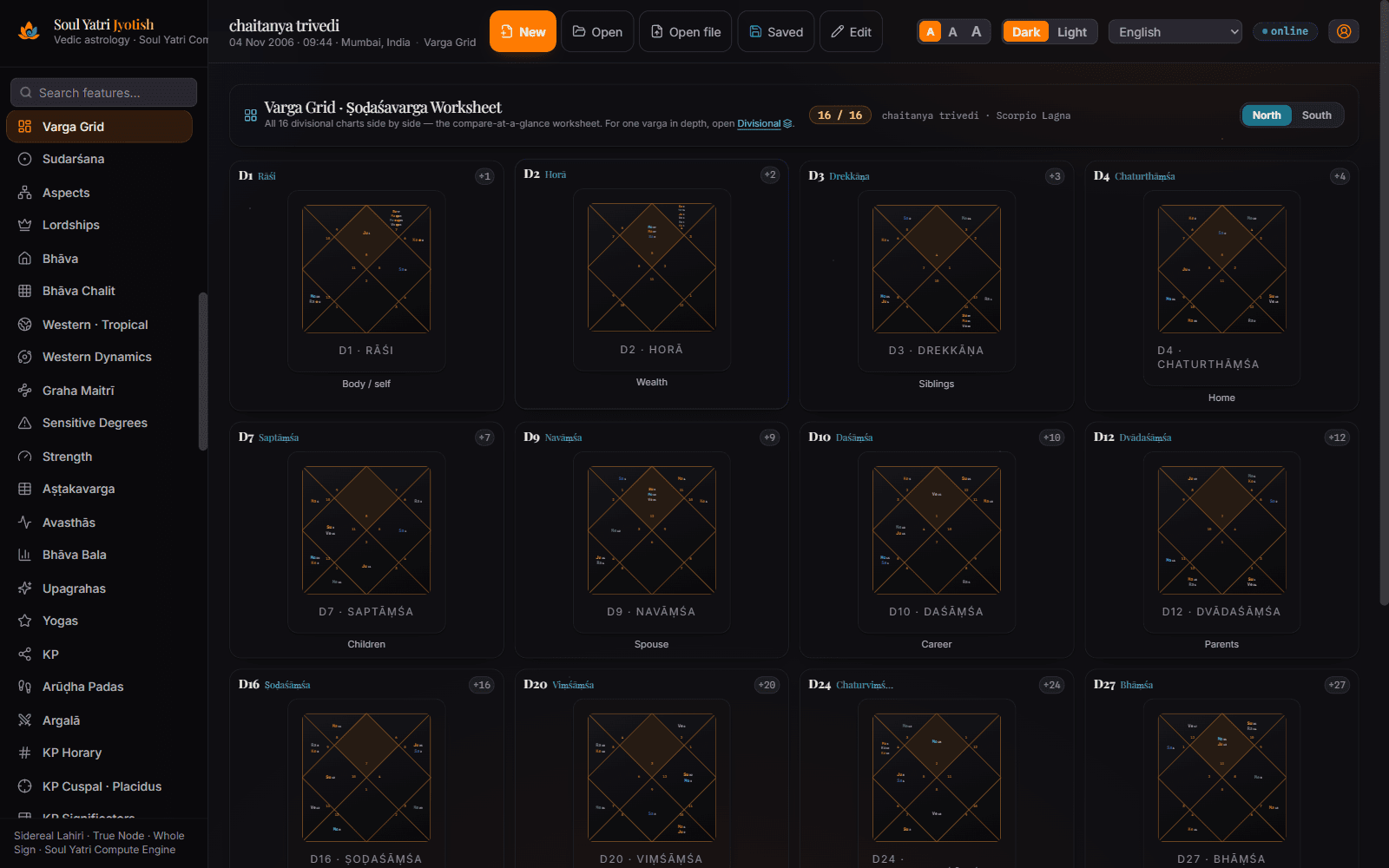
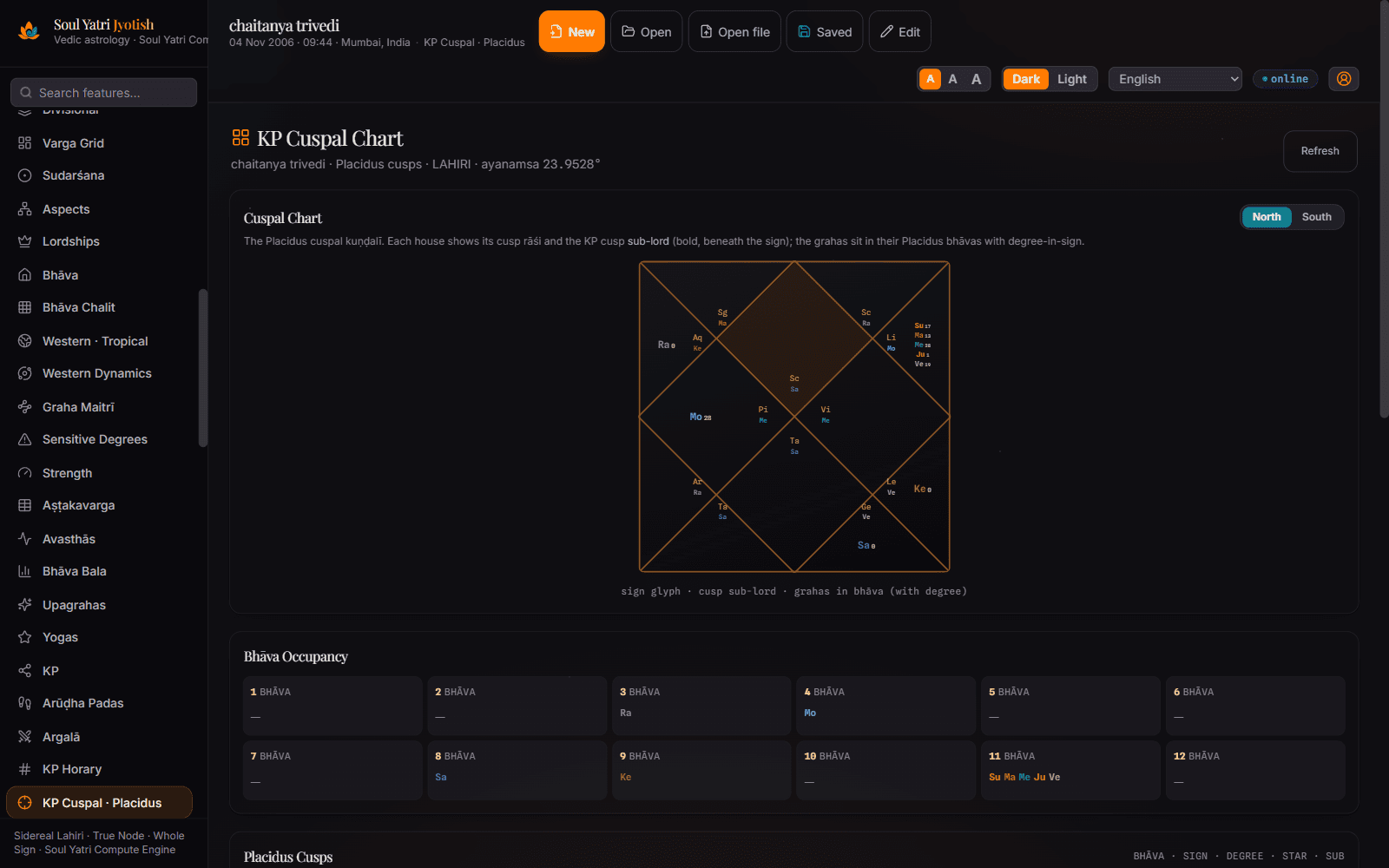
North, South and East-Indian kuṇḍalīs; supported divisional charts from D1–D60; Varga-grid, Sudarśana, Bhāva-chalita, KP cuspal, Western/tropical, and Sarvatobhadra and Kota chakras.

Strength

Ṣaḍbala and Aṣṭakavarga views

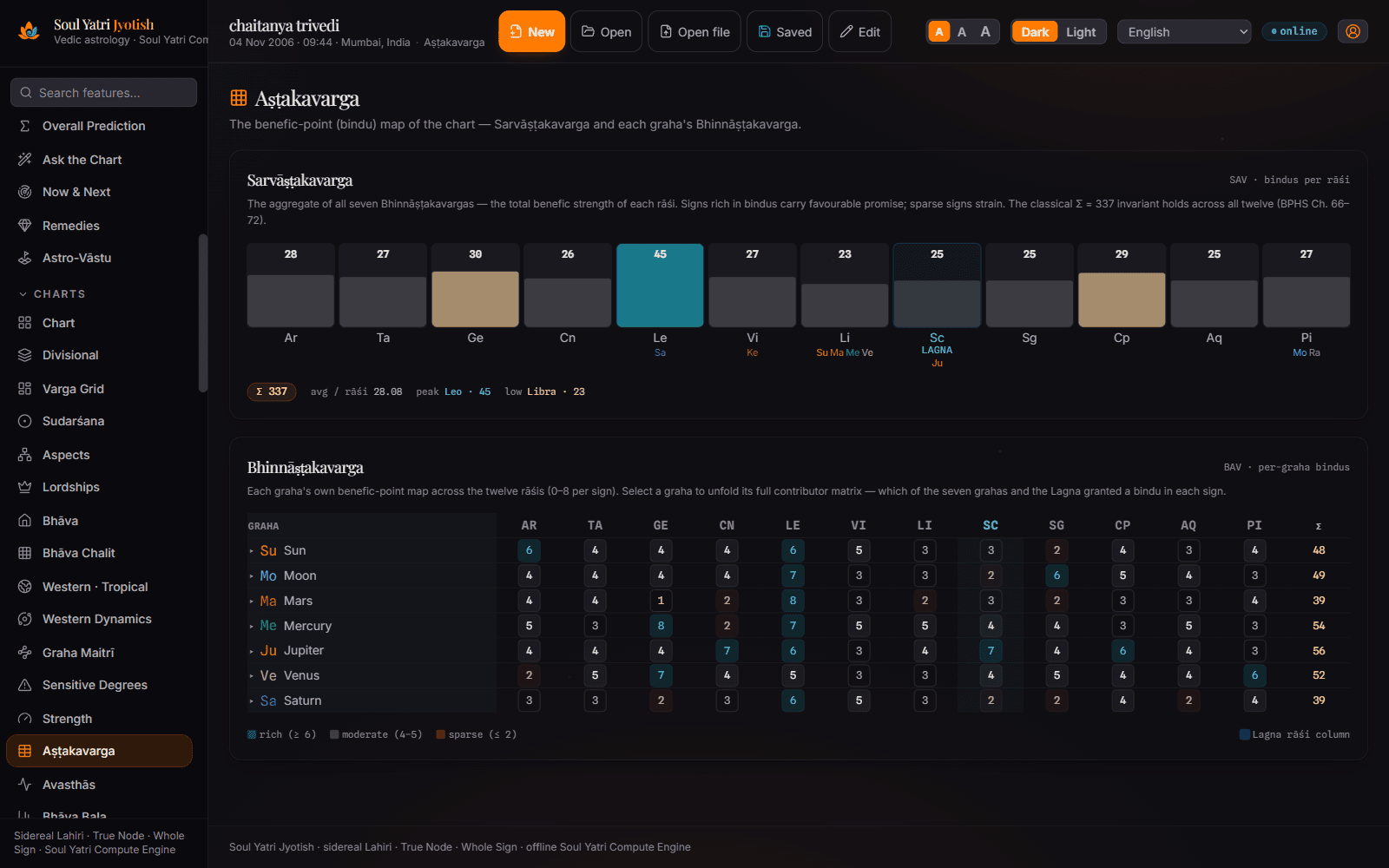
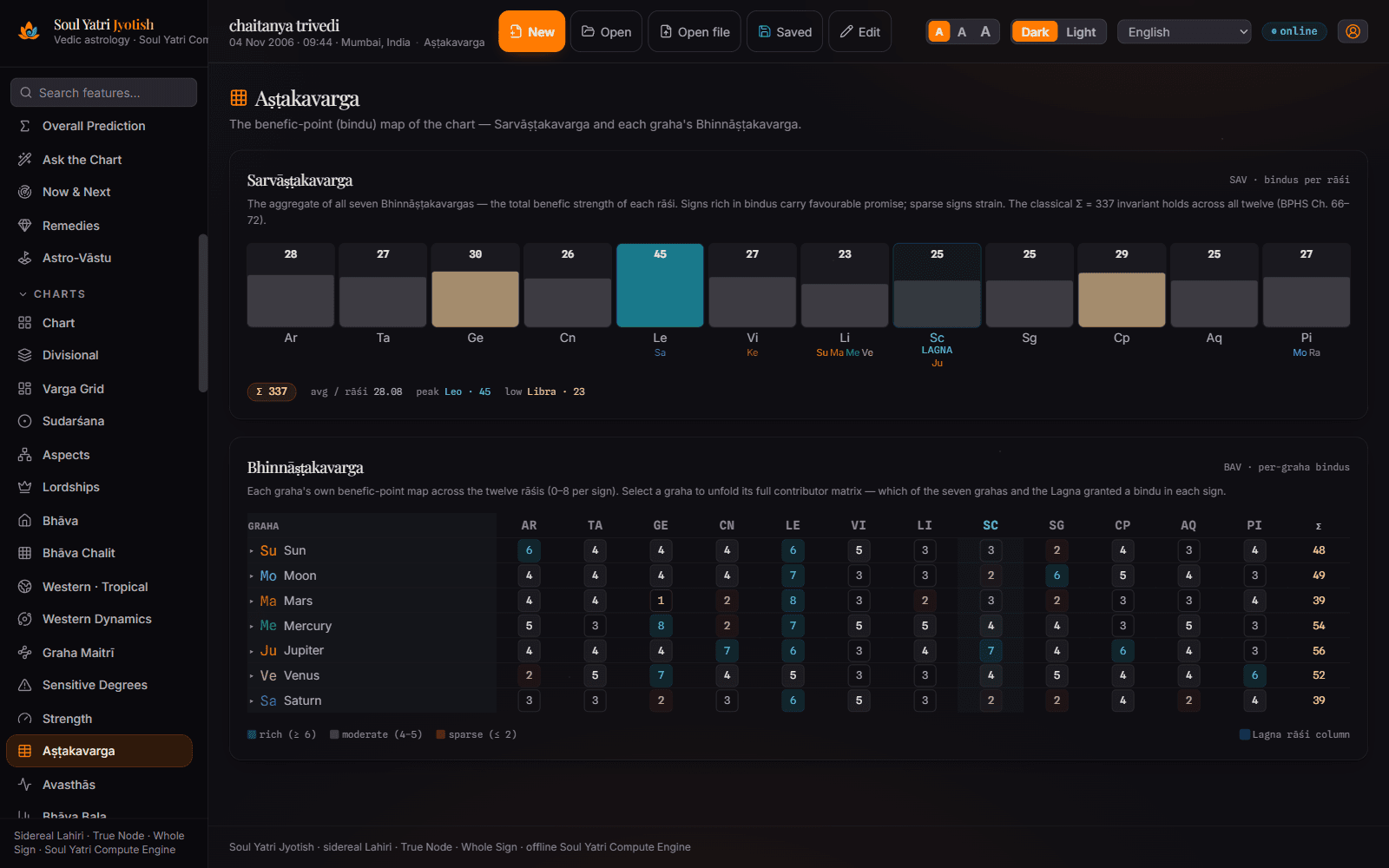
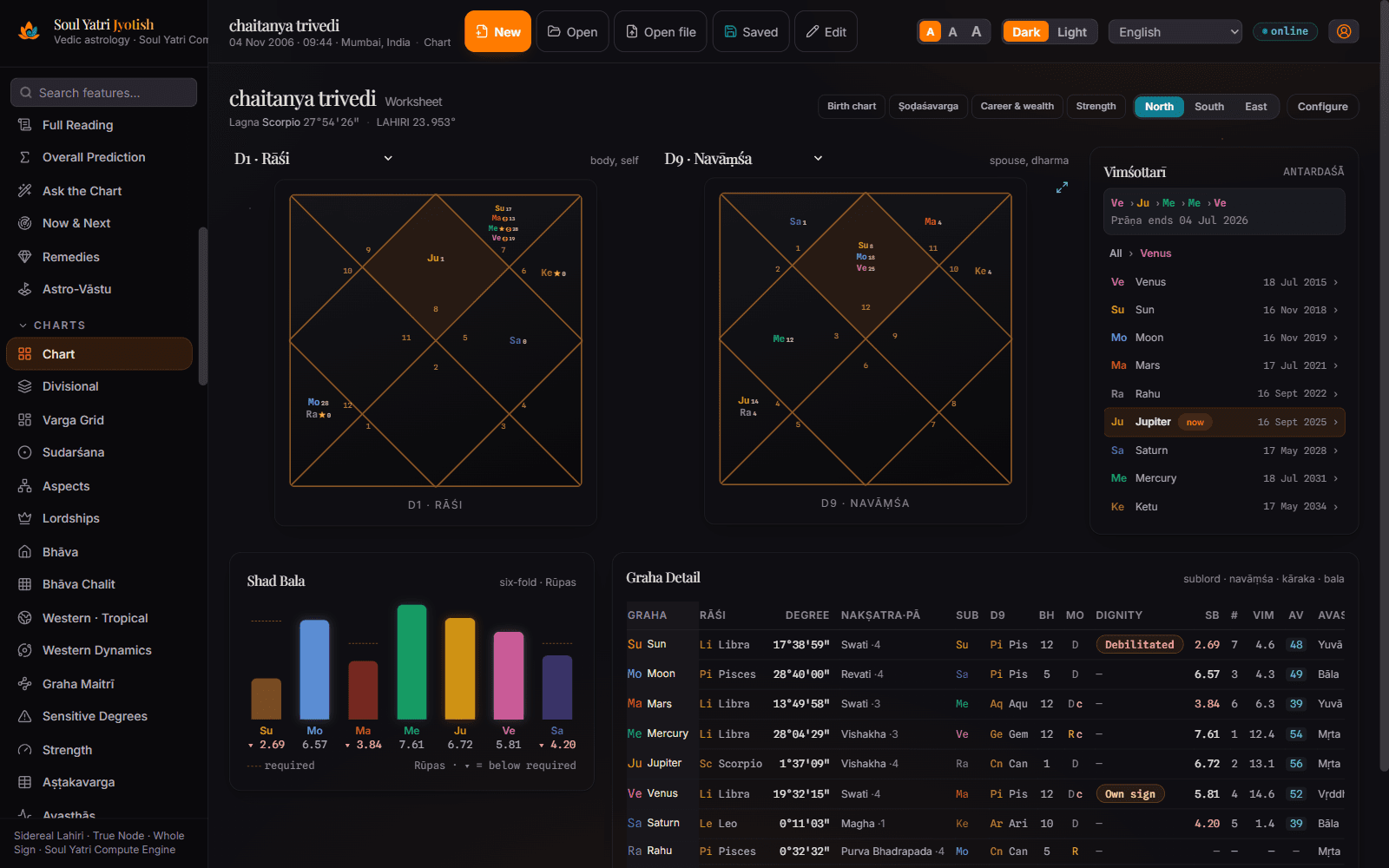
Six-fold Ṣaḍbala, Bhāva-bala, Vimśopaka, and Aṣṭakavarga with BAV/SAV grids and transit-bindu gochara for reviewing chart-strength factors.

Timing

Daśā and transit drill-downs

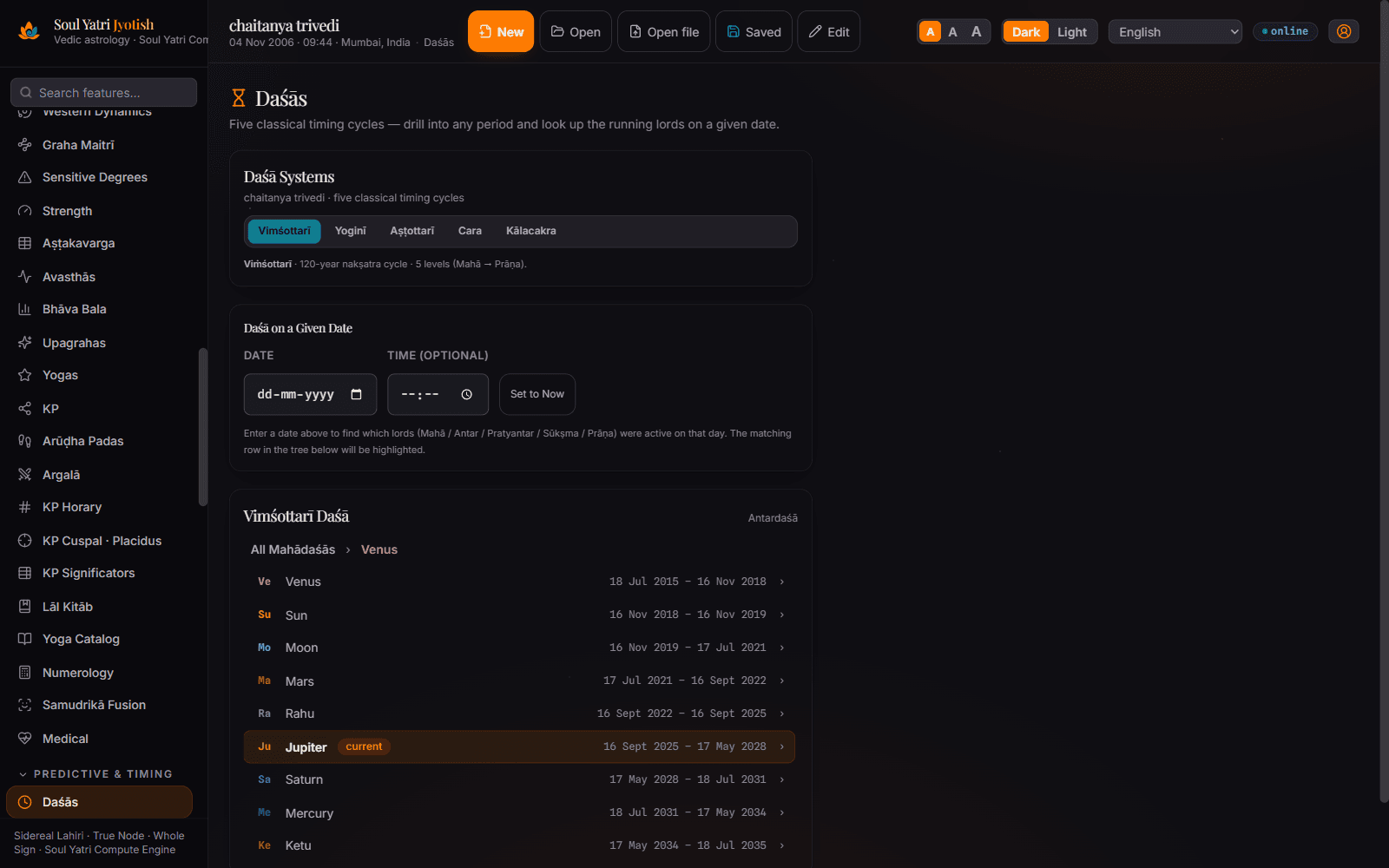
Vimśottari to four levels (Mahā→Antar→Pratyantar→Sūkṣma), plus conditional daśās, Nārāyaṇa & Jaimini Chara daśā, a live transit clock, gochara, Sade-Sati, and a predictive Life-Events timeline.

Jaimini

A visual Jaimini workflow

Chara Kārakas (AK→DK), Ārūḍha padas drawn on a kuṇḍalī, Kārakāṃśa, and the Chara-Daśā timeline with period-by-period interpretations.

Synthesis

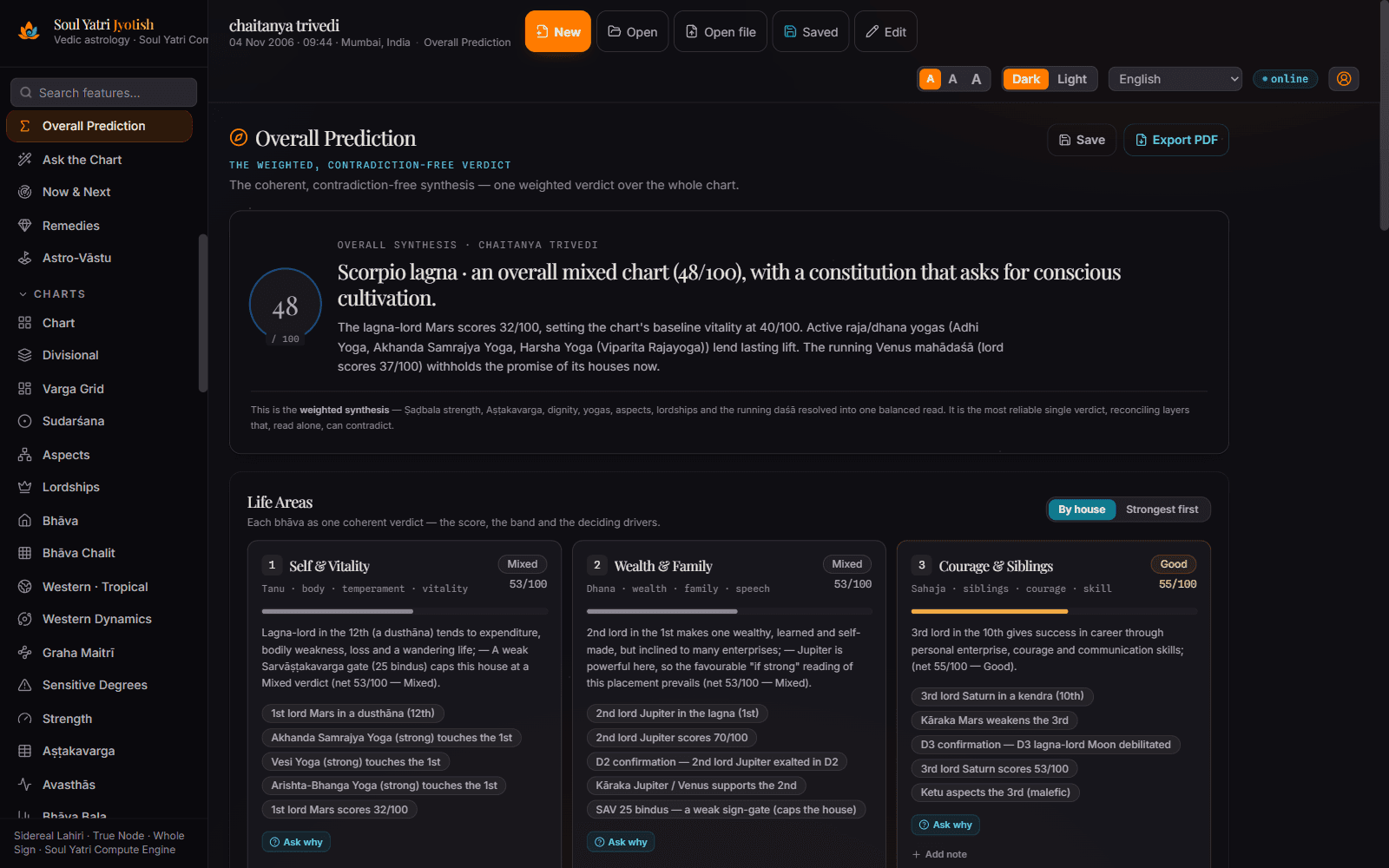
One weighted synthesis of competing rules

A weighted synthesis engine is designed to reconcile clashing classical rules (neecha-bhaṅga, viparīta yogas, Shadbala, Aṣṭakavarga gates) into a more coherent reading while keeping the underlying factors visible for review.

Report

The Soul Blueprint — a 17-page deep reading

A flowing, chapter-by-chapter narrative report: pañcāṅga, janma-nakṣatra, core placements, the four aims, planet-by-planet (pāda-precise), divisionals, love & marriage, past-life karma, personalised remedies, and a closing synthesis — print or save to PDF.

Practice

Tools for a working Jyotish practice

36-guṇa Gun-Milan matching, Muhūrta finder, per-city Pañcāṅga & Rāhu-kāl, numerology, remedies, KP horary, and a professional Astro-Vāstu module — in a multilingual interface.

Real screenshots

This is the actual app.

Straight from the desktop — real charts, real reports, no mockups.

Soul Yatri Jyotish — ashtakavarga
ashtakavarga
Soul Yatri Jyotish — dashas
dashas
Soul Yatri Jyotish — dashboard
dashboard
Soul Yatri Jyotish — divisional
divisional
Soul Yatri Jyotish — kp
kp
Soul Yatri Jyotish — north chart
north chart
Soul Yatri Jyotish — soul blueprint
soul blueprint

Choose the astrology workspace that fits the work

Established desktop tools remain powerful, and their platforms, prices, and workflows differ. Soul Yatri Jyotish offers a free-to-download Windows and macOS option with a modern guided workflow. Compare identical settings and the techniques your practice actually needs.

The flagship report

The Soul Blueprint

A 17-page, chapter-by-chapter narrative reading generated from the chart — read through a weighted synthesis engine designed to reconcile competing rules into a more coherent result. Every planet is pinned to its exact degree, nakṣatra and pāda, with a dedicated Love & Marriage chapter (7th house, Dārakāraka, Navāṃśa, Upapada) and personalised remedies.

  • Pañcāṅga deep-dive
  • Janma-Nakṣatra
  • The Four Aims
  • Planet-by-planet
  • Love & Marriage
  • Past-life karma
  • Personalised remedies
  • Closing synthesis

Learn the workflow in the documentation & tutorials →

Soul Yatri Jyotiṣa

Vedic Birth Chart Reading

Welcome & philosophy4
Pañcāṅga · the five limbs5
Core placements6
Love & Marriage7
Personalised Upāya8
Install with normal caution

What stays local, what connects, and what the OS can verify.

A download page cannot guarantee that software is safe. Verify the release, keep operating-system protections enabled, and understand the app's local and connected paths before using client data.

Local core calculations

Core chart casting, ephemeris work, reports, and the bundled floor-plan scanner can run on-device after installation.

Connected features disclosed

Sign-in and entitlement, marketplace, real-time consultations, media uploads, opt-in cloud sync, and update checks or downloads use a network connection.

Signed updater artifacts

The in-app updater verifies an update artifact signature before installation. Update checks and downloads need internet, and updater signing is separate from OS publisher signing or Apple notarisation.

Local by default

Charts and preferences are stored in the local profile by default. Explicit cloud, consultation, marketplace, or media actions transmit the data needed for that feature.

Why does Windows say “Unknown publisher”? (and macOS a similar caution)

The current Windows installer is not signed with a recognised publisher certificate, and the macOS build is not Apple-notarised. SmartScreen or Gatekeeper therefore may be unable to verify publisher identity or reputation; that warning proves neither safety nor malware. Download only from the official release source and compare a published checksum or signature when one is provided. If you cannot independently verify the file, do not bypass the OS control—wait for a signed or notarised build, or ask your IT administrator.

Step-by-step, with screenshots: the installation and verification guide →

Download & install

Free to download and local-first. Pick your platform, verify the release information available, and review which features need a connection.

New to it? The installation guide explains Windows SmartScreen, macOS Gatekeeper, and release verification without asking you to disable platform protections.

System requirements

Windows
Windows 10 or 11 (64-bit). The current .exe is about 347 MB and the managed .msi about 418 MB; allow at least 1 GB free for installation, local data, and updates. The per-user installer normally needs no admin rights, but managed-device policy may differ.
macOS
macOS 12 Monterey or newer — Apple Silicon (M1 and later) or Intel 64-bit. Current .dmg files are about 427–443 MB; allow at least 1 GB free for installation, local data, and updates.
Internet
Required for the initial download, sign-in and entitlement, marketplace, real-time consultations, media uploads, opt-in cloud sync, and update checks or downloads. Core chart calculations, ephemeris work, and bundled floor-plan analysis can run locally once installed.

Frequently asked questions

Is Soul Yatri Jyotish really free?
The current desktop release is free to download, and its core calculation workspace is not ad-supported. Account-backed or connected services require sign-in and internet access and may have separate access terms.
How accurate are the calculations?
Soul Yatri Jyotish uses its astronomical engine with Lahiri as the default ayanamsa and displays planetary positions to arcsecond resolution. That display resolution does not guarantee real-world accuracy or exact agreement with another product. Use identical birth inputs and calculation settings, and validate time-zone, DST, boundary, and reference-chart cases.
Is it a good Jagannatha Hora or Parashara’s Light alternative?
It is designed for astrologers who want broad desktop coverage — divisional charts, Shadbala, Ashtakavarga, Jaimini, and KP — in a modern Windows and macOS interface, plus a weighted synthesis and the Soul Blueprint report. Do not assume calculation equivalence with another product without a version-controlled comparison using identical settings.
Does my birth data stay private?
Core chart calculations and local saves are processed on your computer by default. If you choose account, marketplace, real-time consultation, media-upload, or opt-in cloud-sync features, the data needed for that feature is sent over the network. Review the feature prompt and consent choice before sharing client data.
Why can Windows or macOS show a security warning?
The current Windows installer is not signed with a recognised publisher certificate, and the macOS build is not Apple-notarised. SmartScreen or Gatekeeper therefore may be unable to verify its publisher or reputation; that warning proves neither safety nor malware. Download only from the official release source and compare a published checksum or signature when one is provided. If you cannot independently verify the file, do not bypass the operating-system control—wait for a signed or notarised build, or ask your IT administrator.
Which features does it cover?
Rasi and the 16 standard divisional charts (D1–D60), Vimshottari and other dashas to four levels, Shadbala, Ashtakavarga, yogas, transits and gochara, Jaimini (Chara Karakas, Arudha, Chara Dasha), KP, Muhurta, 36-guna Gun Milan matching, numerology, remedies, Astro-Vastu, and the Soul Blueprint report — in a multilingual interface.

Install, then cast core charts locally.

Installation time varies by device and OS checks. Connected services require an account and internet.