Cast and explain the chart
Work across D1–D60, dashas, Shadbala, Ashtakavarga, Jaimini, KP, matching, Panchang, Muhurta and report workflows from one desktop workspace.

Astrologer partner platform
Cast charts, organise clients, publish availability and run consultations from one local-first desktop workspace. Install first; activate a verified marketplace profile when your practice is ready.
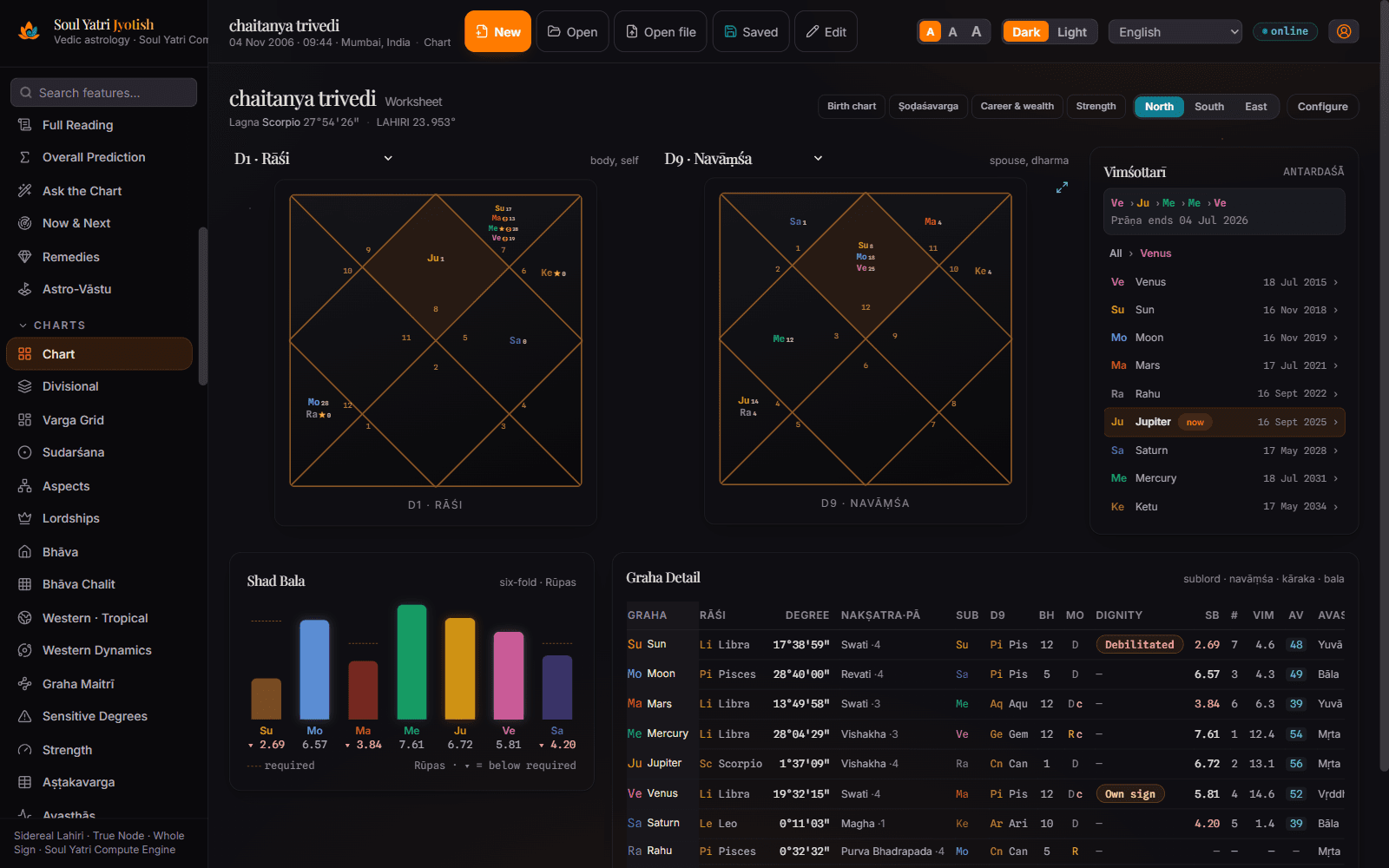
Workbench first
The professional tool is the entry point. Marketplace activation becomes the next layer only after the software earns a place in your daily work.
Explore the complete Jyotish feature setWork across D1–D60, dashas, Shadbala, Ashtakavarga, Jaimini, KP, matching, Panchang, Muhurta and report workflows from one desktop workspace.
Create and reopen client charts, retain calculation context, and prepare consultations without rebuilding the chart from scattered notes.
Configure session types, pricing and availability before you appear bookable. “Online now” is kept separate from accepting scheduled bookings.
Approved practitioners receive a public profile and booking-link workflow that can be shared with existing clients and Soul Yatri seekers.
Activation path
Each stage unlocks the next. Approval alone is not presented as availability, and availability is not presented as live online presence.
Install Jyotish
01Download the Windows or macOS app, create your astrologer account and keep the core chart workflow on your device.
Create the first chart
02Verify place, time zone and calculation settings, cast a chart, and see whether the workbench fits your practice.
Complete your practice profile
03Add systems, languages, experience, specialisations, a professional photo and the consultation formats you support.
Set sessions and availability
04Publish an active consultation type and real availability. A profile is not promoted as immediately available without a current online signal.
Submit verification
05Submit KYC and practice evidence. Approval, marketplace visibility and payouts remain subject to current verification and partner terms.
Marketplace readiness
Windows may show “Unknown publisher” and macOS may show a Gatekeeper warning because the current installers are not yet publisher-signed or Apple-notarised. Download only from the official source and keep OS protections enabled.
Open the installation and verification guidePractitioner FAQ
Yes. The current desktop release is free to download and its core calculation workspace is not ad-supported. Account-backed marketplace, cloud, consultation and update features use an internet connection and may have separate current terms.
No. You can first install the app and evaluate the chart workflow. Marketplace visibility requires a completed practitioner profile, active offerings and availability, verification review, and acceptance of the current partner terms.
No. A verified profile and booking workflow improve discoverability, but this page does not guarantee leads, bookings, income or payout timing. Review the current commercial agreement before accepting paid consultations.
Complete your practice profile, configure at least one active session type, publish valid availability, submit the required verification evidence, and receive approval. Going online is a separate live-presence action.
The current Windows installer is not signed with a recognised publisher certificate and the macOS build is not Apple-notarised. Keep operating-system protections enabled, use only the official download source, and follow the installation verification guide rather than disabling security controls.
Practitioners can describe the systems they genuinely use, including Vedic Jyotish, KP, Jaimini, numerology, Vastu and related specialisations. Verification is based on the current evidence and practice-review policy.
Start the partner path
Verification, marketplace visibility, consultation access and commercial terms are separate from the free desktop download and remain subject to current eligibility.